Family Room micro zone
The Charging and Device Zone
The charging station, in the Family Room. Charge the household's phones, tablets, controllers, and headphones in one place, on a surface that can take the heat. One power strip on a hard surface, four or five labeled cables each ending at a named slot, the empty slots visible during the day, and no charger plugged into any other socket in the room.
One session: 30-45 min, most of it in Sort, matching loose cables to devices that still exist.
The short version
- Sort. Lay every cable and plug out in a line
- Straighten. One strip, one slot per device, the owner's name on the slot
- Shine. Wipe each cable end and check the last few centimetres near the plug
- Safety. Nothing charges on a cushion, a blanket, or a stack of paper
- Standardize. Name labels on the slots, not just on the cables
- Sustain. When the dishwasher is started for the night, devices come to the station
Each step in full, with what to have on hand and what done looks like, below.
Where it is
Family Room
6 micro zones, one session each
- 1The Primary Media Zone
- 2The Toy and Play Zone
- 3The Board Game and Puzzle Zone
- 4The Blanket and Comfort Zone
- 5The Charging and Device Zone
- 6The Craft and Activity Zone
What done looks like
Charge the household's phones, tablets, controllers, and headphones in one place, on a surface that can take the heat.
- One power strip on a hard surface
- Four or five labeled cables each ending at a named slot
- The empty slots visible during the day
- No charger plugged into any other socket in the room
What done looks like
One power strip on a hard surface, four or five labeled cables each ending at a named slot, the empty slots visible during the day, and no charger plugged into any other socket in the room.
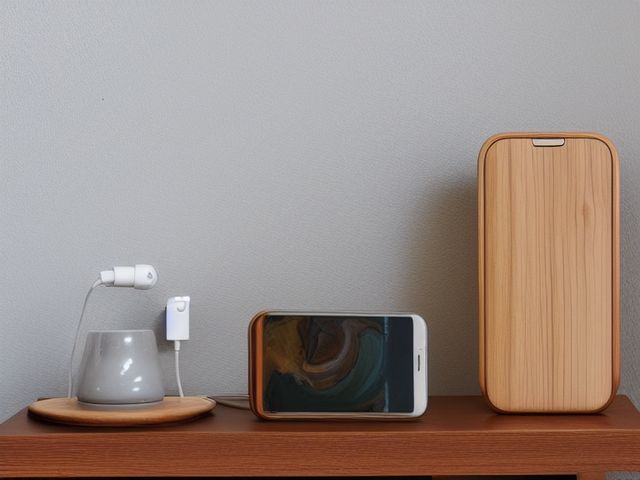
Common items here
- One power strip, on a hard surface
- Labeled cables, each ending at a named slot
- A labeled bag of spare connectors
What belongs, and what strays in
Belongs here:
- One power strip, on a hard surface
- Four or five labeled cables, each ending at a named slot
- Empty slots, visible during the day
Strays in and should leave:
- A charger plugged into any other socket in the room
- A cable or plug that matches no device currently in the house and working
- Unmatched cables kept back in the drawer as spares
Check these before you start
- Burn or fireA tablet or battery pack charging on a cushion, under a blanket, or inside a closed bin. Any pack that is swollen, hot to hold, or bulging at the seam comes off the strip immediately and does not go back on.
- Poison, choke, or strangleA charging cable long enough to hang from the side table down to the floor makes a loop at exactly a toddler's neck height. Shorten it or clip it flat to the surface.
- Water and electricityDrinks land on the same side table as the charging strip. Give the station a surface where nobody sets down a glass, or move the glasses somewhere else.
Which of these is true here?
Match what you are actually seeing in the charging station to why it keeps happening, then start at the pass that fixes that, not the top of the list.
A retired phone sits in the drawer, kept as both a backup that hasn't been charged in a year and an archive that was never transferred
- It's serving two contradictory jobs at once and actually doing neither, and nobody's settled which one it is. Confirm in 30 seconds: Pick up one piece. If your first thought is a verb (pay, sign, call, decide) rather than a place, it needs a decision, not a home. If that checks out, start at Sort.
- The photos on it matter to someone, which is a real reason to keep it, but transferring them is a task that's been avoided rather than a home it's missing. Confirm in 30 seconds: Ask if you would buy this again today for what it does. If the answer is no but you still cannot decide, the hold is sentimental. If that checks out, start at Sort.
- A phone with a swollen or dead battery sitting loose in a drawer is a real hazard, not just clutter. Confirm in 30 seconds: Look for the four: a blade your hand would meet, weight above shoulder height, heat beside something that burns, and an unsafe placement near a child's reach. If that checks out, start at Safety.
A charging cable hangs in a loop from the side table down to the floor at exactly toddler neck height, on the same table where drinks get set down
- A loose loop at a toddler's neck height and a drink beside a live strip are both safety constraints that outrank tidy. Confirm in 30 seconds: Look for the four: a blade your hand would meet, weight above shoulder height, heat beside something that burns, and an unsafe placement near a child's reach. If that checks out, start at Safety.
- Nobody's shortened or clipped the cable flat since it was first run, because nobody specifically checks this station for hazards. Confirm in 30 seconds: Ask who resets this zone. If the honest answer is "whoever gets to it" or two names with no agreement, there is no owner. If that checks out, start at Sustain.
- Nobody notices a specific cable type has run out until a device needs it and there's no spare left in the bag. Confirm in 30 seconds: Find the last one of something you use daily. If nothing tells you it is the last one, you will find out at the worst possible moment. If that checks out, start at Standardize.
A tablet is charging under a blanket on the sofa cushion instead of on the strip, and it's warm to the touch
- Charging on soft material that traps heat against a battery is a fire risk that overrides where it's convenient to leave it. Confirm in 30 seconds: Look for the four: a blade your hand would meet, weight above shoulder height, heat beside something that burns, and an unsafe placement near a child's reach. If that checks out, start at Safety.
- The station's slots are already all taken, so the next device charges wherever there's an open outlet. Confirm in 30 seconds: Put back only what belongs here. If it still will not close, or still stacks four deep, the capacity is the problem, not the habit. If that checks out, start at Sort.
- There's no rule that every device charges at the one strip, so people default to whatever socket is closest. Confirm in 30 seconds: Ask two people in the house to describe this zone when it is finished. Two different answers means there is no standard to keep. If that checks out, start at Standardize.
Only have 15 minutes? Match every cable at the station to a device the house actually uses, and keep one spare of each connector type in a labeled bag. Pull the retired phone out of the drawer, charge it, and decide out loud whether it is genuinely a backup or an archive. If it is an archive, transfer the photos now while it is charged and in your hand; if it is neither, recycle it with the battery still in it at a proper collection point. Victory: Every cable at the station ends at a named device the house uses, the retired phone has been settled as backup, archive, or recycled, and no charger is plugged in anywhere else in the room.
The six passes, in order
Work them in this order. Sorting after you have arranged things means arranging things you were about to remove.
This zone's full kit list is below, after the method. Skim it first if you would rather gather everything before you start.
Sort
Decide what stays. Everything else leaves the zone now.
Lay every cable and plug out in a line and match each one to a device that is in this house and currently working. What is left unmatched is not spare, it is dead weight, and it goes to an electronics recycling point rather than back into the drawer.
What to store it in, now that you know what you are keeping
Bins and shelves are for what Sort left behind, not a stand-in for it. Buying storage before sorting means buying a container for things you have not yet decided to keep.
Only if it applies to the charging station: 6 more
Not every home needs these for the charging station. Each one is here because some do, and the reason is next to it.
- Board Game Component Bags Keep game pieces complete, in the Straighten, Standardize and Sustain passes. Do not overload; anchor wall-mounted or tall systems where required.
- Portable Project Tray ×2 Contain one active project and its parts, in the Straighten, Standardize and Sustain passes. Do not overload; anchor wall-mounted or tall systems where required.
- Cable Management Kit Secure and label device cords, in the Straighten, Standardize and Sustain passes. Do not overload; anchor wall-mounted or tall systems where required.
- Controller Dock Charge and contain game controllers, in the Straighten, Standardize and Sustain passes. Do not overload; anchor wall-mounted or tall systems where required.
- Toy Bin with Picture Label ×4 Support independent child cleanup, in the Straighten, Standardize and Sustain passes. Do not overload; anchor wall-mounted or tall systems where required.
- Front-Facing Book Bin ×2 Display children's books for easy access, in the Straighten, Standardize and Sustain passes. Do not overload; anchor wall-mounted or tall systems where required.
Straighten
Give what stays a home, placed where the hand actually reaches.
One strip, one slot per device, the owner's name on the slot. Shorten each cable to the length that just reaches its slot, then clip the excess so the ends stay up on the surface instead of hanging toward the floor.
Shine
Clean it, and use the cleaning to inspect what you cannot see when it is full.
Wipe each cable end and check the last few centimetres near the plug, where the sheath cracks first. Blow or brush the lint out of the charging ports, because packed lint is why a plug stops seating properly long before the cable is actually broken.
Surface by surface, all 7 of them, with what to use on each.
Safety
Make the zone safe for everybody who uses it, including the shortest person.
Nothing charges on a cushion, a blanket, or a stack of paper. Lithium batteries need air, and a battery pack that is swollen, bulging at the seam, or too hot to hold is a stop now situation, not a weekend job. Put your hand on every device on the station once during this pass.
Standardize
Write down the best way you know today, so it survives you forgetting.
Name labels on the slots, not just on the cables, so an empty slot reads as a missing device rather than as free space. Keep the strip itself in view instead of pushed behind furniture, where a scorched socket or a chewed cable would go unnoticed.
Sustain
Attach the reset to something that already happens, so it keeps itself.
When the dishwasher is started for the night, devices come to the station and stay until morning, called by the adult who starts the machine. The named slots do the auditing, because an empty slot at bedtime reads as a missing device rather than free space. Recovery is fetching that device, thirty seconds. The failure to watch for is not a full station, it is a second charger appearing across the room. One extra cable behind the sofa ends this zone, because after that nothing has to come here, and nothing does.
The kit this zone called for
Everything above assumed you had these already. Types of thing, not brands: anything you already own that does the job is the right one to use.
- Color-coded microfiber cloth set ×12 Shine Wash by use color; avoid fabric softener.
- Neutral pH multi-surface cleaner Shine, Sustain Verify surface compatibility; lock around children and pets.
- Compact vacuum with attachments Shine Use appropriate attachment.
- Keep, Relocate, Donate, Recycle, Trash container set ×5 Sort Do not block exits.
- Portable cleaning caddy Straighten, Shine, Sustain Secure chemicals from children and pets.
- Portable label maker Standardize, Sustain Follow surface and adhesive guidance.
- Removable write-on labels Standardize Test on delicate finishes.
Only if it applies to the charging station: 2 more
- Cord Label Set Standardize, Sustain Install and use according to product instructions.
- Surge Protector with Overload Protection Straighten, Safety Install and use according to product instructions.
The old phone with the photos on it
The cable drawer is the easy half of this zone, and you already know the answer: match every cable to a live device, keep one spare of each connector type in a labeled bag, recycle the rest. The hard part is the drawer's other resident, the retired phone. You have kept it for two reasons that quietly contradict each other, as a backup in case something breaks, and as an archive because there are photos on it you have never transferred. It cannot serve both, and right now it is serving neither. Settle it here. A backup phone is one you have charged and switched on within the last year, and if you have not, it will be flat and out of date on the day you need it. An archive is one you transfer today, in this session, while the device is in your hand and the charger is right there. Do the transfer now, or say out loud that you never will, and then recycle the handset with the battery still in it at a proper collection point rather than leaving it in a drawer to swell.
Cleaning it properly, surface by surface
Lint and a stressed cable end are what fail here long before a device does. Clean each cable end, clear the ports, then wipe the surface and the strip.
Work down, not across. Whatever comes off a high surface lands on the one below it, so cleaning the floor first means cleaning it twice.
Carry these in with you. Color-coded microfiber cloth set; Compact vacuum with attachments; Neutral pH multi-surface cleaner; Portable cleaning caddy; Soft detail brush or compressed air (not in this zone's list, needed to clear charging ports).
- The side-table top surface
Lift the devices and the strip off, wipe the top with neutral pH cleaner, working at any sticky drink ring, and dry it before anything returns. - The power strip body and switch
Brush or vacuum the dust off the strip, then wipe the body and around the switch with a barely damp cloth kept away from the sockets, and dry it. - The cable runs and cable ends
Wipe each cable down its length with a dry cloth, then clean the last few centimetres near the plug carefully, feeling the sheath as you go. - The charging ports on the devices
Blow or brush the packed lint out of each charging port, because lint is why a plug stops seating long before the cable is actually worn out. A soft detail brush or a puff of air does it without pushing lint deeper, and no liquid goes near a port. - The devices themselves: phones, tablets, controllers, headphones
Wipe each device with a barely damp cloth wrung out well, keeping moisture off the port and seams, then dry it and put a hand on each one as you go to feel for heat. - The named slots and the empty dock positions
Wipe each labeled slot and the empty positions with a dry cloth so the labels stay readable and the station stays honest about what is charging. - The floor below and the cable drop
Vacuum the floor under the table and along any cable that drops to it, clearing dust and keeping the drop clear.
How to clean anything else in the house, surface by surface.
Inspect as you clean. Cleaning is the only time you see the zone empty, so use it.
- A cracked or heat-stiffened cable sheath in the last few centimetres before the plug.
- Lint packed so tightly into a charging port that a plug will no longer seat fully.
- A power strip body that feels warm, or browning and scorch marks around one socket.
- A cable end that wobbles loose in its port, or a plug that no longer grips.
- A drink ring or moisture on the table right beside the strip.
The standard that keeps it fixed
One strip on a hard surface, one named slot per device, one labeled bag of spare connectors, no charger plugged in anywhere else in the room, and nothing charging on soft material.
Reset trigger. When the dishwasher is started for the night.
How much the charging station can actually hold
One power strip on a hard surface, four or five labeled cables each ending at a named slot, and the empty slots visible during the day.
If five slots will not cover the household, add a second named strip rather than a second unnamed charger somewhere else in the room. The point of this zone is that there is exactly one place to look for a flat phone. Run the honest count.
When this does not describe your charging station
The passes above describe the ordinary case. Plenty of real households are not ordinary, and the fix is not to skip the method, it is to run it against a different starting shape.
- Children's devices charge here too
- The slot label carries the name and the rule, and the strip goes where an adult passes. In a family room this is also where screen time ends, which is a reason to keep it in sight rather than in a bedroom.
- Somebody works from this room
- Give the work machine its own strip and its own slot, outside the household count. A laptop that has to be charged for tomorrow morning should not be competing with four phones for a socket.
The rest of the family room
Each of these is one session on its own.
- The Primary Media Zone
- The Toy and Play Zone
- The Board Game and Puzzle Zone
- The Blanket and Comfort Zone
- The Charging and Device Zone, you are here
- The Craft and Activity Zone
The Family Room in full, with what each of the 6 zones is for
The family room as a deck of 69 cards: the frictions people report in each zone, the root cause behind each one, and the timed action that clears it. Free to read or print.
Zones that do the same job, elsewhere in the house
Different room, different name, same real job. Each one is its own page because the room around it changes what actually works.
Related reading
- Still hunting for the right charger here?
- Does this zone keep running out of something?
- Is mail piling up on this exact surface?
- Stuck on one item in this zone?
- This zone's safety pass, in full
Questions people ask about this zone
- How long does it take to reset the charging station?
- One session: 30-45 min, most of it in Sort, matching loose cables to devices that still exist.
- What does a finished charging station look like?
- One power strip on a hard surface, four or five labeled cables each ending at a named slot, the empty slots visible during the day, and no charger plugged into any other socket in the room.
- What is the hardest call to make in the charging station?
- The cable drawer is the easy half of this zone, and you already know the answer: match every cable to a live device, keep one spare of each connector type in a labeled bag, recycle the rest. The hard part is the drawer's other resident, the retired phone. You have kept it for two reasons that quietly contradict each other, as a backup in case something breaks, and as an archive because there are photos on it you have never transferred. It cannot serve both, and right now it is serving neither. Settle it here. A backup phone is one you have charged and switched on within the last year, and if you have not, it will be flat and out of date on the day you need it. An archive is one you transfer today, in this session, while the device is in your hand and the charger is right there. Do the transfer now, or say out loud that you never will, and then recycle the handset with the battery still in it at a proper collection point rather than leaving it in a drawer to swell.
- How do you keep the charging station from getting cluttered again?
- One strip on a hard surface, one named slot per device, one labeled bag of spare connectors, no charger plugged in anywhere else in the room, and nothing charging on soft material. When the dishwasher is started for the night.
- What do you need to clean the charging station?
- Color-coded microfiber cloth set; Compact vacuum with attachments; Neutral pH multi-surface cleaner; Portable cleaning caddy; Soft detail brush or compressed air (not in this zone's list, needed to clear charging ports).
- What do you clean first in the charging station?
- The side-table top surface. Lift the devices and the strip off, wipe the top with neutral pH cleaner, working at any sticky drink ring, and dry it before anything returns.
- Is there a burn or fire risk in the charging station?
- A tablet or battery pack charging on a cushion, under a blanket, or inside a closed bin. Any pack that is swollen, hot to hold, or bulging at the seam comes off the strip immediately and does not go back on.
- Is there a poison, choke, or strangle risk in the charging station?
- A charging cable long enough to hang from the side table down to the floor makes a loop at exactly a toddler's neck height. Shorten it or clip it flat to the surface.
- Is there a water and electricity risk in the charging station?
- Drinks land on the same side table as the charging strip. Give the station a surface where nobody sets down a glass, or move the glasses somewhere else.
- Why does the charging station do this: A retired phone sits in the drawer, kept as both a backup that hasn't been charged in a year and an archive that was never transferred?
- It's serving two contradictory jobs at once and actually doing neither, and nobody's settled which one it is, so start at Sort; The photos on it matter to someone, which is a real reason to keep it, but transferring them is a task that's been avoided rather than a home it's missing, so start at Sort; A phone with a swollen or dead battery sitting loose in a drawer is a real hazard, not just clutter, so start at Safety.
- Why does the charging station do this: A charging cable hangs in a loop from the side table down to the floor at exactly toddler neck height, on the same table where drinks get set down?
- A loose loop at a toddler's neck height and a drink beside a live strip are both safety constraints that outrank tidy, so start at Safety; Nobody's shortened or clipped the cable flat since it was first run, because nobody specifically checks this station for hazards, so start at Sustain; Nobody notices a specific cable type has run out until a device needs it and there's no spare left in the bag, so start at Standardize.
- Why does the charging station do this: A tablet is charging under a blanket on the sofa cushion instead of on the strip, and it's warm to the touch?
- Charging on soft material that traps heat against a battery is a fire risk that overrides where it's convenient to leave it, so start at Safety; The station's slots are already all taken, so the next device charges wherever there's an open outlet, so start at Sort; There's no rule that every device charges at the one strip, so people default to whatever socket is closest, so start at Standardize.
When you want it off the screen
Carry The Charging and Device Zone into the room
The method above is complete and free. The Whole House Print Pack puts The Charging and Device Zone and the other 113 micro zones on 684 printable cards, so the steps you just read are not stuck behind a phone screen while your hands are full.
The Print Pack, 19 dollarsJust this zone, 4 dollarsOr draw a card free
The Charging and Device Zone on its own is 4 dollars for 6 cards. All 114 micro zones is 19 dollars for 684. The whole house is the better buy; the single zone is here so you can take only what you are working on.
If The Charging and Device Zone keeps fighting back, the real problem usually sits somewhere else in the room. A one hour virtual consult is 250 dollars: we find the function, the friction and the root cause together, and you keep a written standard for the space.
See what a consult covers, 250 dollars
Not ready to pay for that either? Ask which zone first, free